PADREMOTE AI / User guide
Task notifications
Get notified when the AI finishes or asks a question, and learn how this connects to AI tools and how foreground and background delivery differ.
On this page
Before you start
Notifications are available only in the Android and iPhone/iPad apps. They are off by default and need a recent Host that supports them. Claude Code, Codex CLI, Grok Build, Antigravity CLI and GitHub Copilot CLI are supported; Shell never gets notification tools.
Step by step
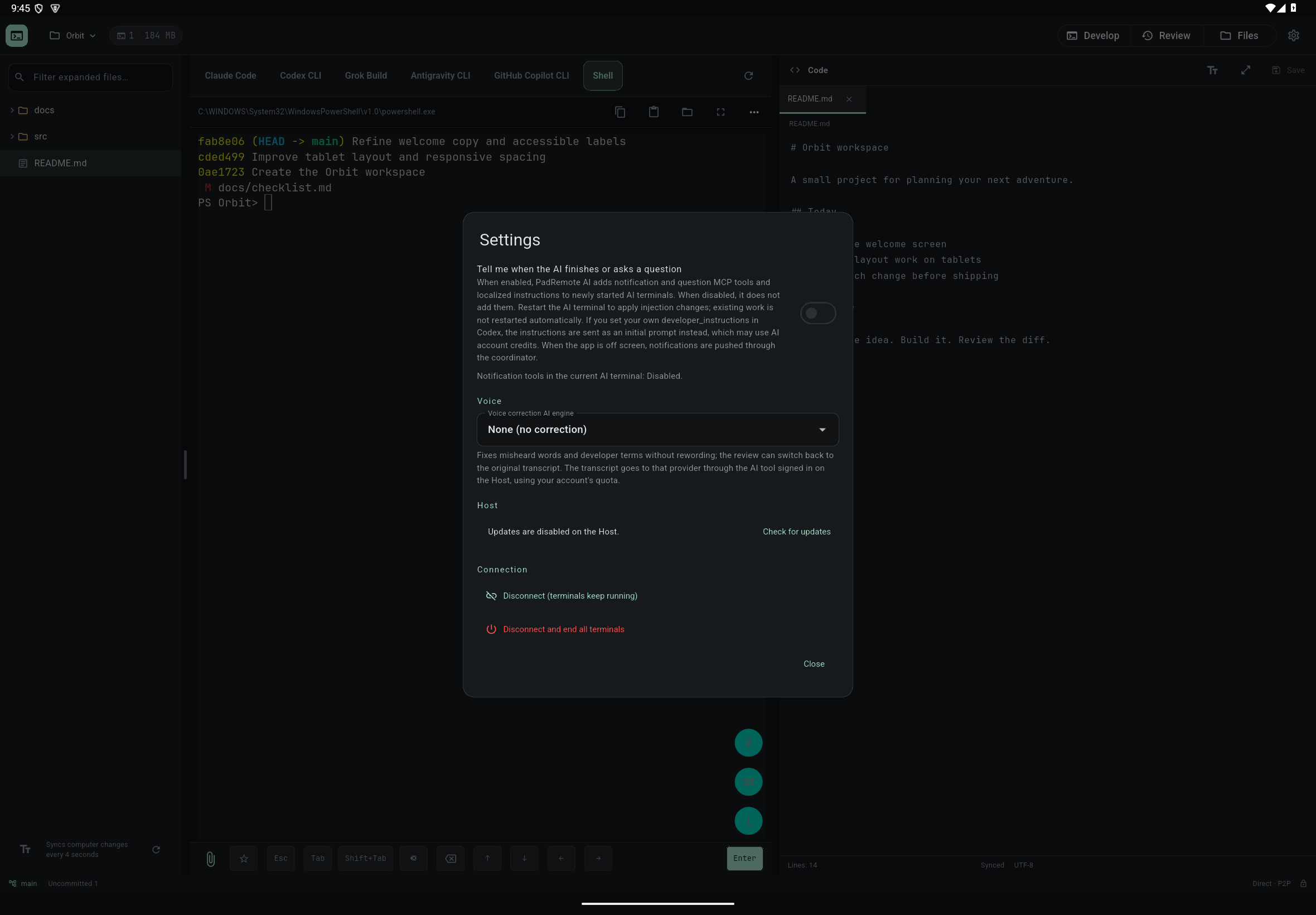
- Open Settings in the top-right corner of the workspace, scroll to Notifications and turn on "Tell me when the AI finishes or asks a question".
- Read the explanation, tap Enable and allow notifications when the system asks. If you deny system permission, the switch stays off.
- Only AI terminals started after this get the notification and question MCP tools and instructions. Terminals already open are not restarted automatically; when their work is done, close that AI's terminal and open it again.
- "Notification tools in the current AI terminal" in Settings shows whether the current terminal has them Enabled or Disabled.
- Send a small task and wait for a notification when the AI finishes or asks something. Tapping it opens the project; you always answer in the terminal.
Check the result
The AI sends notifications by calling PadRemote AI's tools itself: once when the whole task is finished, and a question notification when it needs your decision. While the app is in the foreground, the terminal you are looking at does not raise a separate notification. While the app is off screen, the Host pushes notifications through the coordinator to devices on the same account. The Notifications tab on a phone lists recent completions and questions.
If something goes wrong
If nothing arrives, check system notification permission, Do Not Disturb, the Host connection, and the notification tools status in Settings. If the AI does not call the notification tools, no notification is sent; this depends on the model following its instructions. Push notifications include the title and summary written by the AI. If you set your own developer_instructions in the Codex configuration, the instructions are sent as an initial message instead, which may use your AI account quota. After you turn the switch off, new AI terminals no longer get the notification tools.