PADREMOTE AI / User guide
Language & interface
Change interface language, display and notifications, and manage your account without restarting your work.
On this page
Before you start
The app and the Host management page offer 16 interface languages, including English, 繁體中文, 日本語 and 简体中文. This website is available in those four languages, and its language is saved separately from the app's.
Step by step
- Tap Settings at the top right of the workspace. Under Appearance, choose a Language and adjust Terminal text size, Terminal font and Code text size. Before connecting, you can also switch language at the top of the connection screen.
- Under AI agents, tick the tools to show in the switcher above the terminal. Under Key row, choose Edit keys to change the keys below the terminal; see Shortcuts & slash commands.
- To be notified when the AI finishes or asks a question, turn on Tell me when the AI finishes or asks a question under Notifications. It is off by default and applies to AI terminals opened afterwards; see Task notifications.
- Host shows the Host update status and offers Check for updates. Connection offers Disconnect (terminals keep running) or Disconnect and end all terminals.
- Account lets you sign out, manage your subscription, restore purchases or delete your account. Deleting the account does not cancel an App Store or Google Play subscription, so cancel it in the store first. Privacy and diagnostics offers Diagnostics and logs, Connection diagnosis and Report a problem.
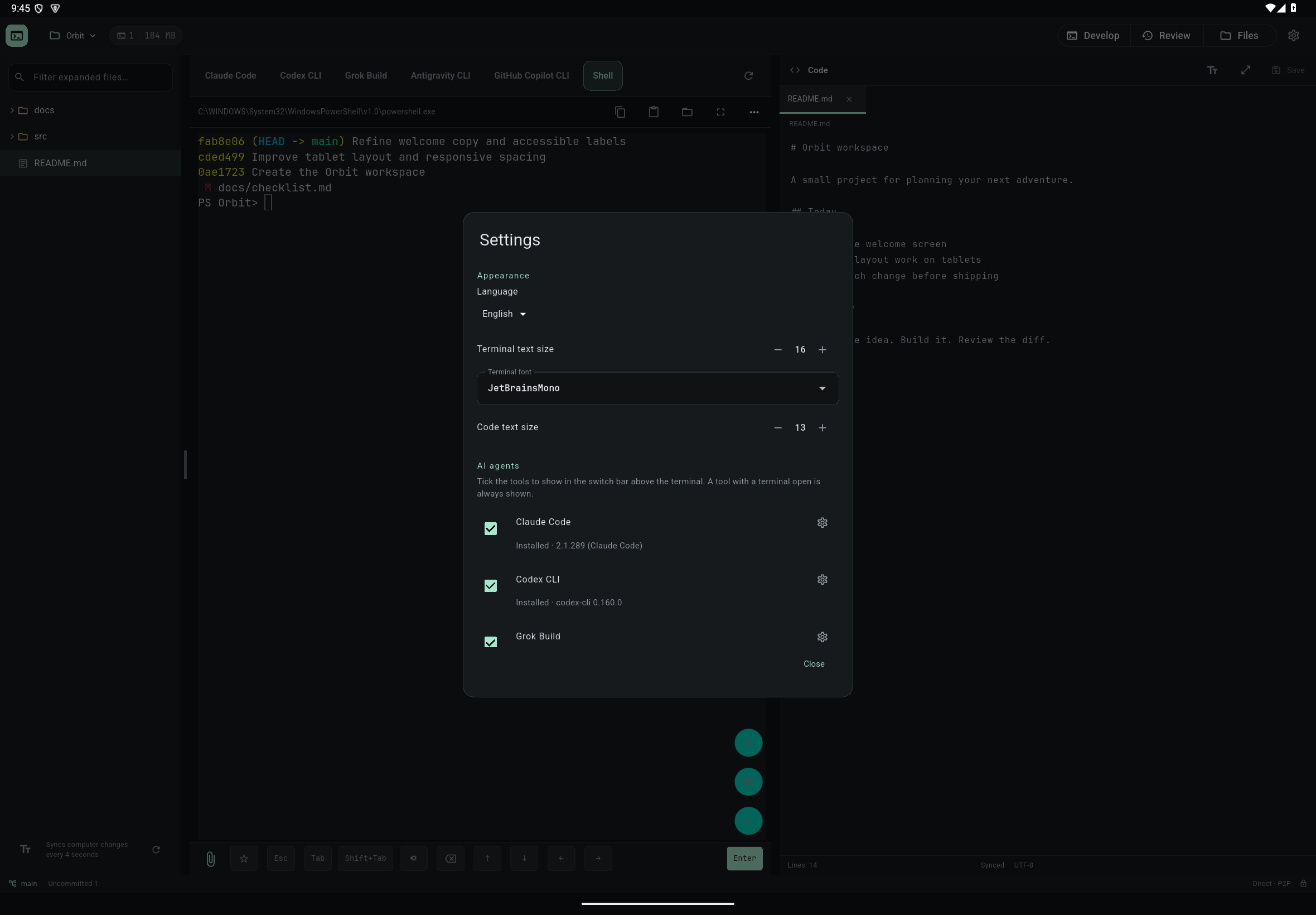
Check the result
Your language is remembered. Switching language only updates interface labels and does not restart AI sessions; projects, terminals and edit drafts stay as they were.
If something goes wrong
AI replies, project files and custom commands are not translated automatically. Choose the management page language separately at the top of that page; the system tray menu follows it. If the screen is crowded, change text size or rotate the device. Phones switch between terminal, files, Git and notifications with bottom tabs, while tablets use a split layout.