PADREMOTE AI / User guide
Connection help & diagnostics
Check your account, the computer, password and network in order to locate a connection problem.
On this page
Before you start
Record where it fails: not signed in or no entitlement, Host not found, password rejected, connection not established after pairing, or disconnected later. When a connection fails, the app shows the step that failed. Never publish passwords, management tokens or AI credentials.
Step by step
- Make sure the app is signed in to a PadRemote AI account with an active entitlement; if the sign-in screen appears, sign in again. When a sixth device signs in to the same account, the others must sign in again.
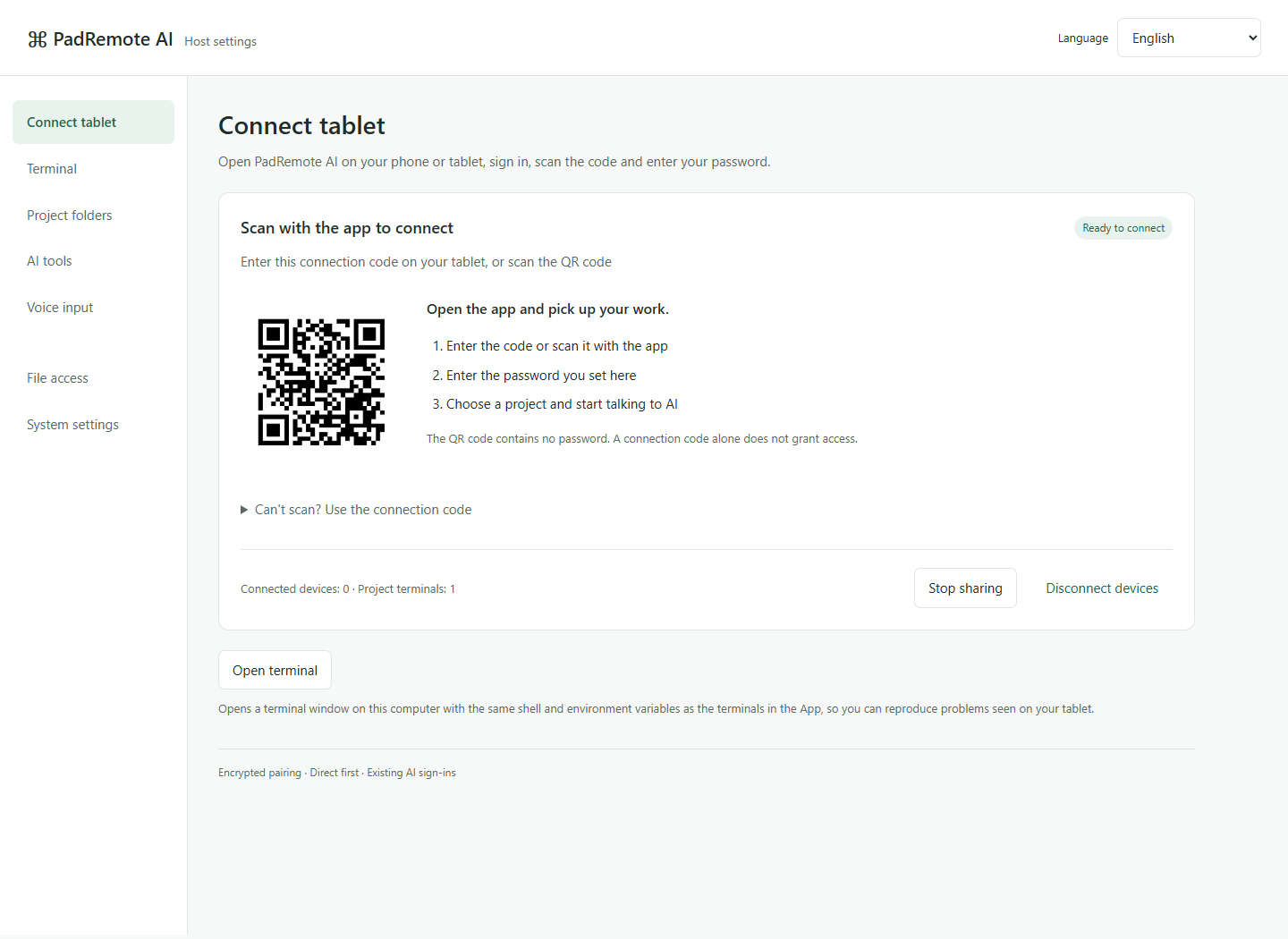
- Confirm the computer is on and awake, and that the Connect tablet page on the management page shows Ready to connect.
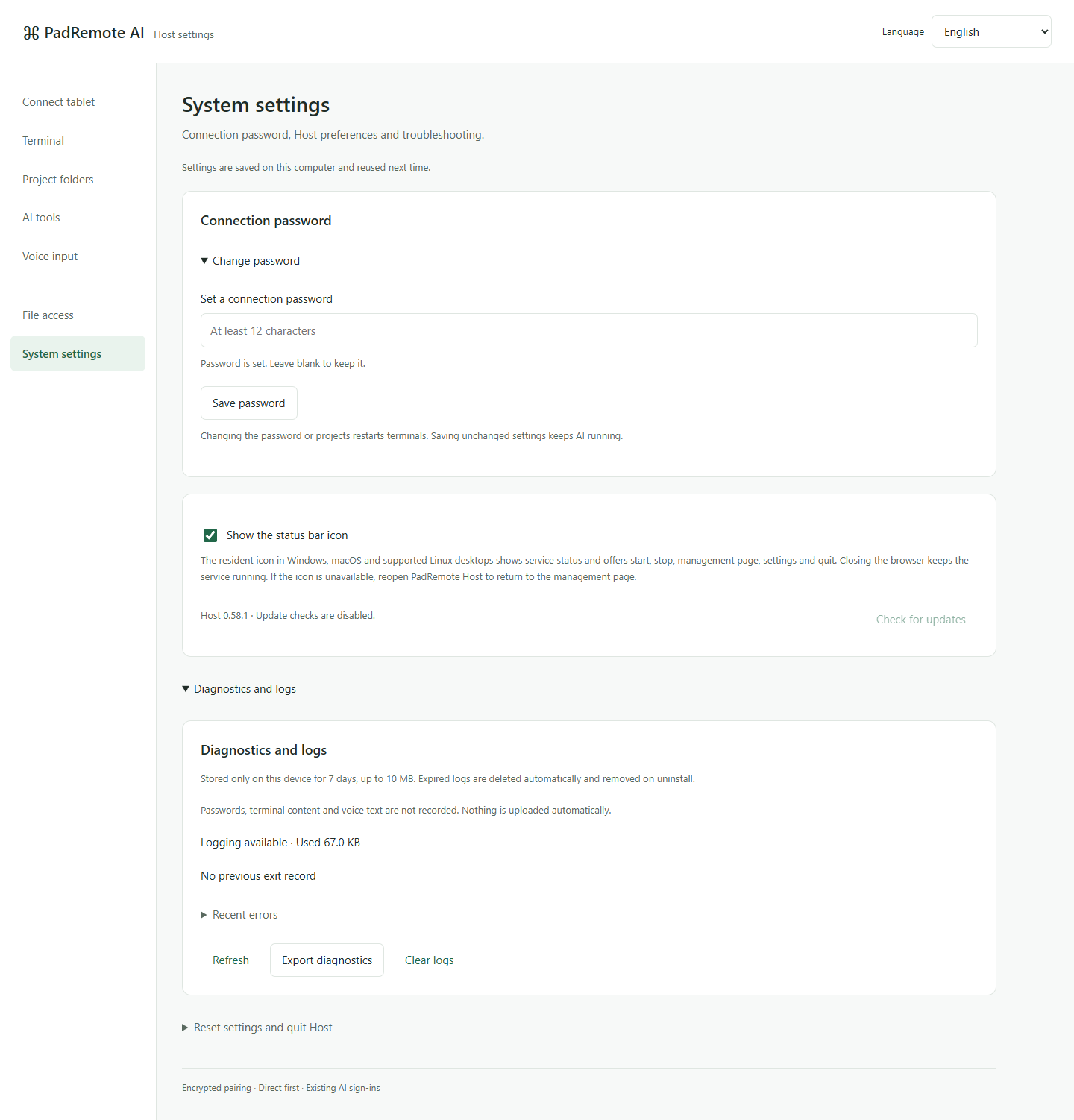
- Recheck the connection code. If the password is rejected, check or change it on the management page and retry.
- Compare another Wi-Fi or mobile network, and check corporate firewalls, VPNs and network policies. Do not disable every security control to test.
- If a connection has not completed after about 45 seconds, the app opens Connection diagnosis, which checks each step and lets you Copy report or Report diagnosis result. Once connected, use Diagnostics and logs and Report a problem under Settings → Privacy and diagnostics. On Host, export diagnostics from System settings → Diagnostics and logs.
Check the result
You can separate account, setup, authentication and network problems and give reproducible steps. A problem report reaches the developer only after you send it. It can include up to 5 attachments of up to 5 MB each and the last 7 days of diagnostic logs, without passwords, IP addresses or terminal content.
If something goes wrong
The connection tries P2P first. On networks where direct connections fail, such as symmetric NAT or blocked UDP, it switches automatically to an encrypted relay via EC2, and the Host management page shows Relay · via EC2. If it still cannot connect, try another network. A disconnected app or an expired entitlement does not stop AI work on Host, so avoid recreating terminals and interrupting the original task.