PADREMOTE AI / User guide
Conversation files & links
Find the files the AI presented, file links printed in the terminal and web links in one place, then preview, open or share them.
On this page
Before you start
Connect to a recent Host that supports this feature. Each AI tab has its own list for that terminal's conversation; it is not a search of the whole computer or the AI's full history.
Step by step
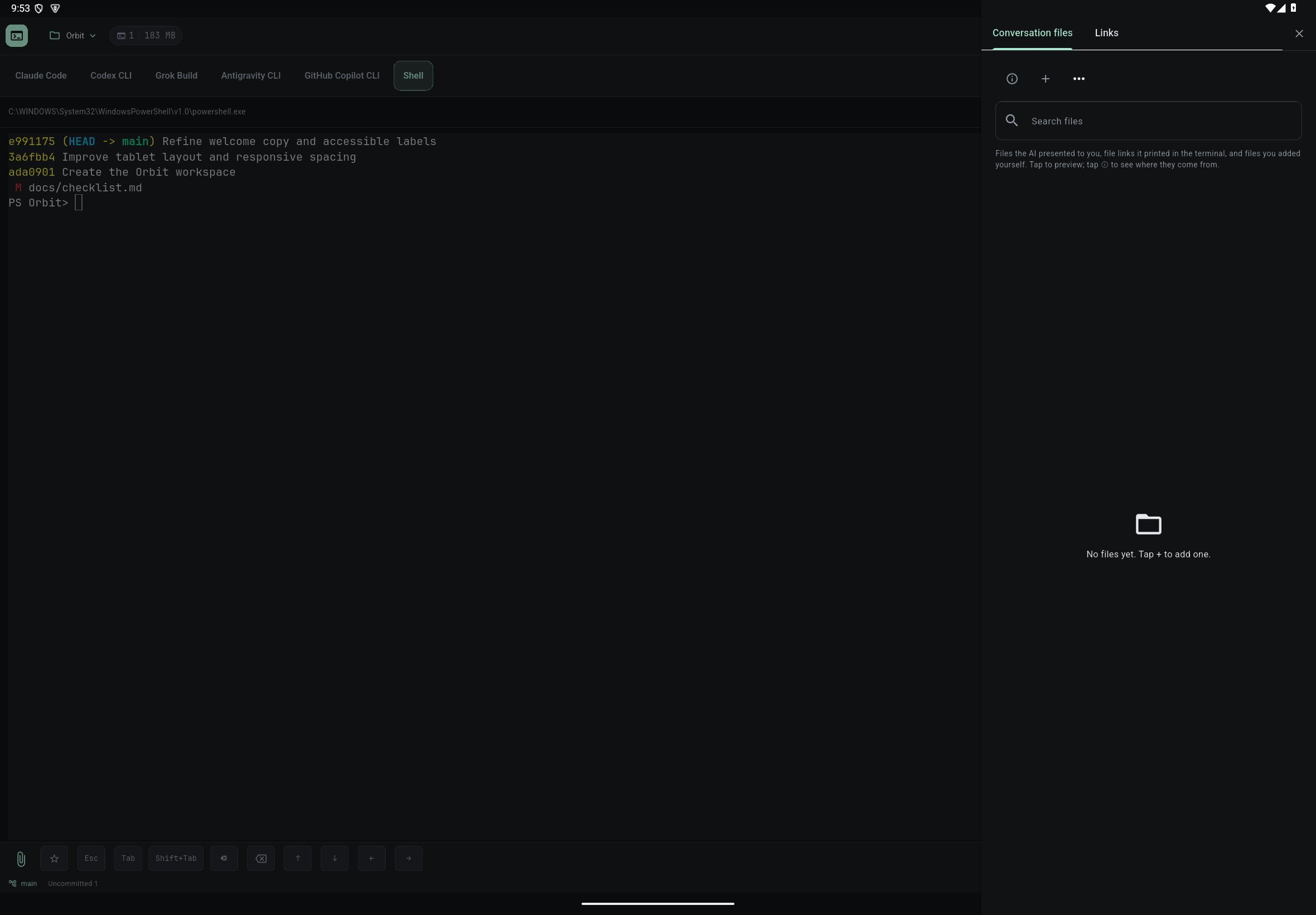
- Tap the folder button in the terminal header (on a narrow screen it is in Terminal options ⋯) to open Conversation files. On a phone, use the Files tab at the bottom instead.
- The list shows files the AI handed to you with the PadRemote AI presentation tool ("Presented by AI"), file links the AI printed in the terminal ("Printed by terminal"), and files you added yourself. Tap ⓘ to learn about each source.
- Tap a file that can be opened to preview it. To add one yourself, tap + to browse project files, or select a path in the terminal and choose "Open selected file path".
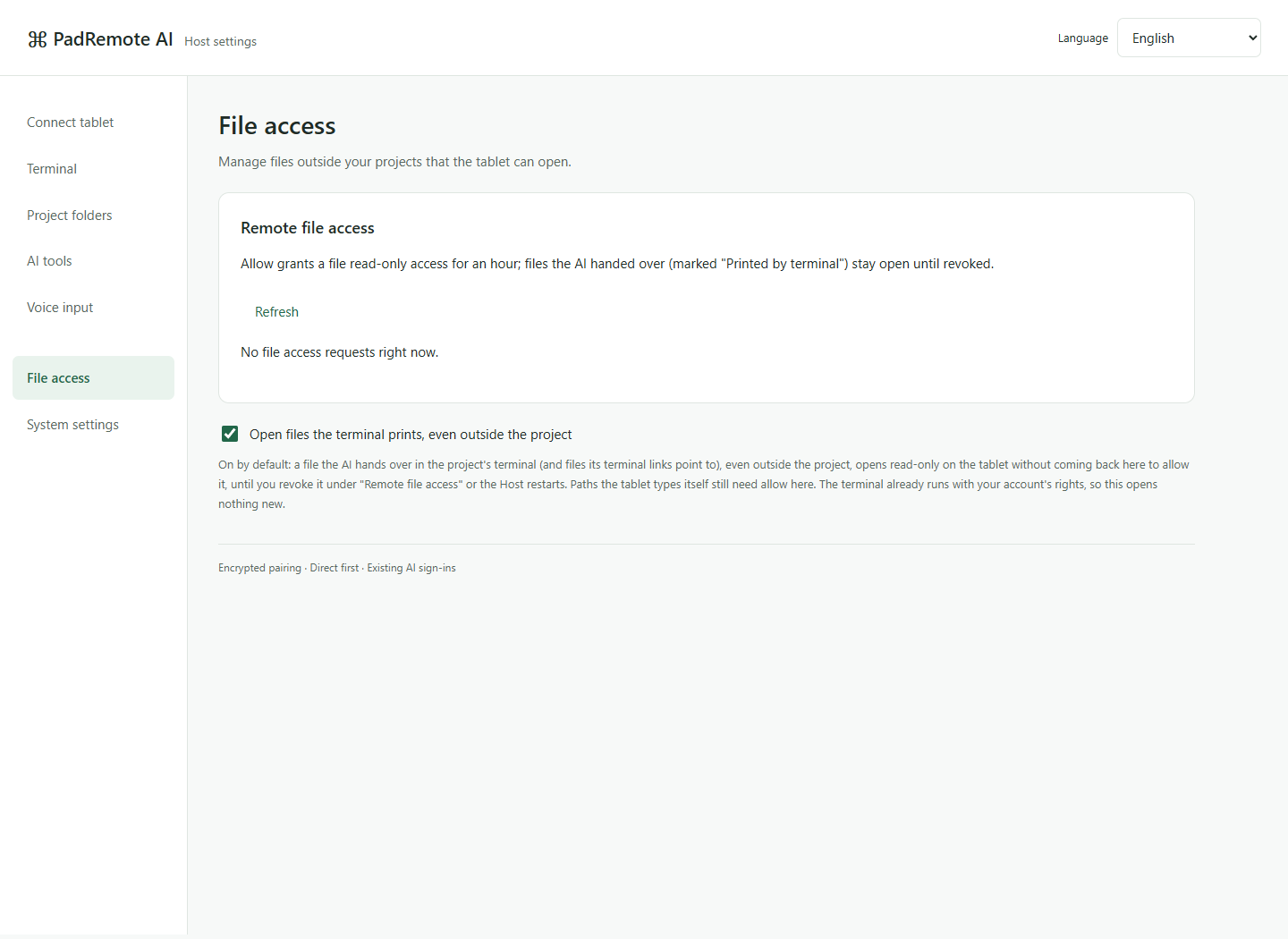
- If a file you added from outside the project shows "Host permission needed · tap to request", allow access on the computer's management page. The list checks again when you return.
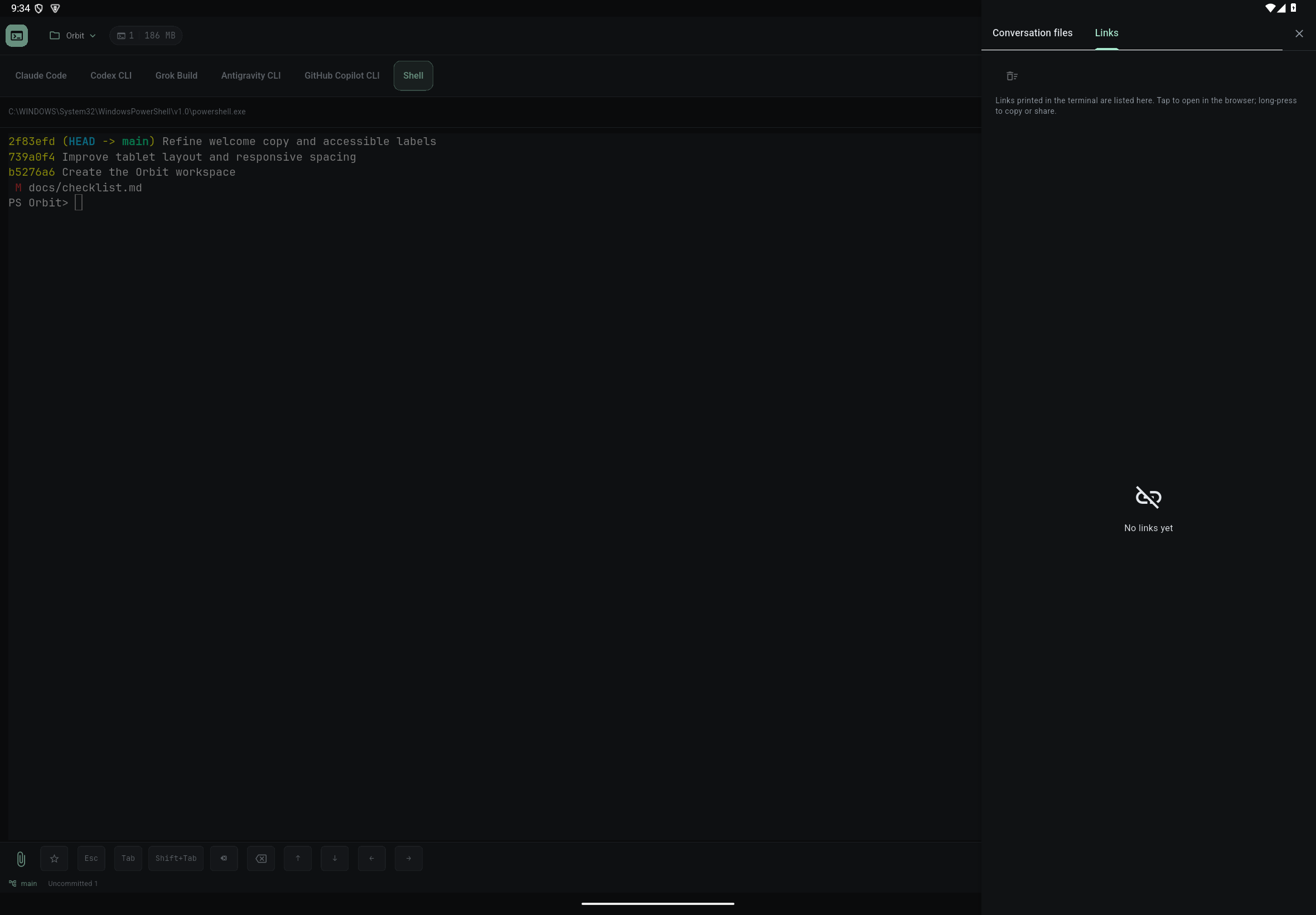
- Switch to the Links tab to see http/https addresses printed in the terminal. Tap one to open it in the browser; long-press to copy or share it.
Check the result
Open results straight from the list instead of scrolling through the terminal. Switching AI tabs does not clear a list or mix in files from other tabs. Sending /new, /clear or /reset, or choosing Clear list, empties only this tab's list; it does not delete files on the host or the AI's history.
If something goes wrong
If a file is missing, check that the path still exists and access was granted, or pick it again with +. Other files the AI only read or edited along the way are not listed automatically. Files larger than 100 MiB cannot be previewed. localhost in a link means the device opening the browser and is not translated to the development computer; a local dev server needs a preview address the device can reach. Open only links you trust.